How to Crop and Mat Photos for Scrapbooking
Trim copies of your photos so the subject fills the frame, then add a paper mat with even borders. Includes mat sizes and trimmer steps.
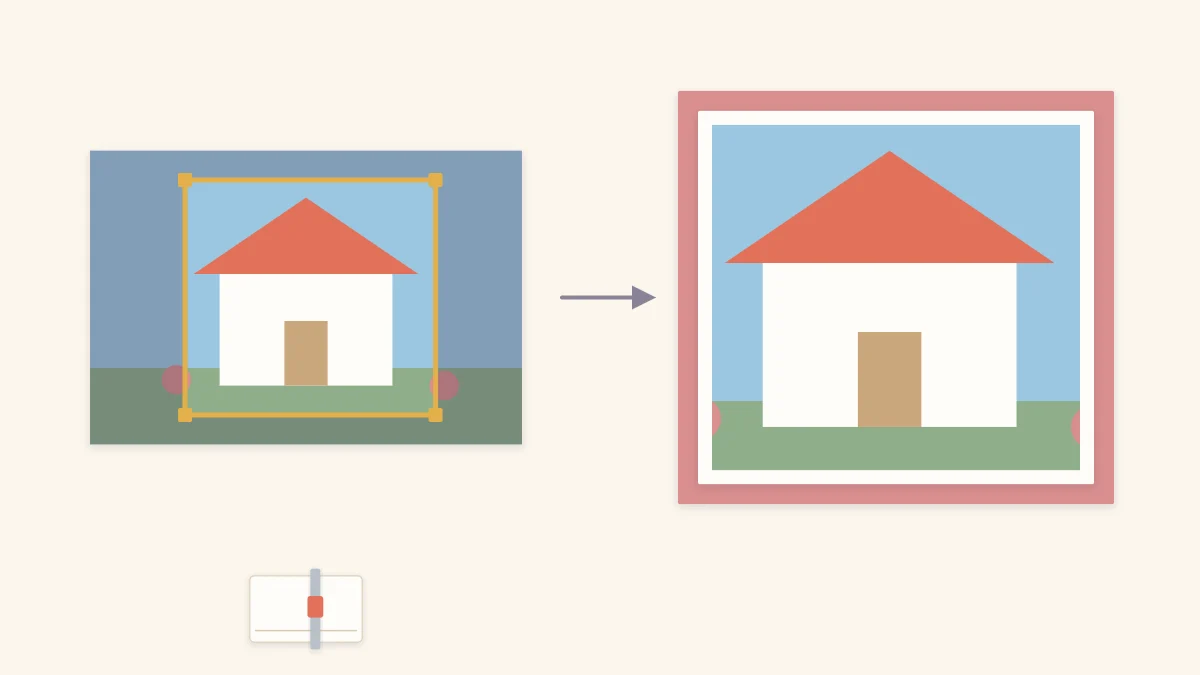
Tutorial at a glance
Materials
- Copies or reprints of your photos
- Cardstock for mats
- Paper trimmer
- Ruler
- Pencil
- Scrap cardstock for two L-shaped crop guides
- Tape runner or photo corners
Learning how to crop photos for scrapbooking solves two problems at once: it removes the parts of a picture that add nothing, and it lets more photos fit on a page without crowding. A mat, the paper border behind a photo, then separates the trimmed picture from the background so it stands out. The two steps belong together, because the size you crop to decides the size of the mat.
Cropping is permanent, so the first decision has nothing to do with scissors.
Cut copies, not originals
Trim a reprint or a copy, and keep the original print or the digital file untouched. This matters most for older prints with no negative or file behind them: once a one-of-a-kind photo is cut, the removed part cannot be put back. Have a copy made and work on that instead.
Working from copies also takes the pressure off. A crop that turns out too tight is a small waste of paper rather than a loss, and you can try a second version.
Watch out
Backgrounds that look like clutter today, such as a room, a car or a street, are often the details people most enjoy seeing later. Keep at least one uncropped copy of any photo you trim heavily.
Decide what to keep
Look at the photo and name its subject. Everything that does not help that subject is a candidate for removal: empty sky above a group, a stretch of floor in front of it, a stranger at the edge of the frame. Trimming those areas makes the subject larger in relation to the picture, which is the whole point.
A few guidelines prevent the usual regrets:
- Leave a little space above heads and around the subject. A crop that touches hair or elbows feels cramped.
- Do not cut through joints. Trimming at wrists, knees or ankles looks awkward; mid-thigh or mid-forearm reads better.
- Keep space in front of a face in profile or a moving subject, so it looks into the picture rather than at the edge.
- Keep the horizon level. If it tilts, straighten it with the crop.
To preview a crop, cut two L-shaped pieces from scrap cardstock and slide them over the photo to frame different areas. Mark the chosen edges with light pencil dots in the part that will be cut away.
Pick a size that suits the layout
Crop to sizes that fit together. A standard 4 x 6 in (10 x 15 cm) print trims easily to a 4-inch (10 cm) square, a 3 x 4 in (7.5 x 10 cm) rectangle or a 2-inch (5 cm) wide strip. Photos trimmed to shared dimensions line up into clean blocks; see the arrangements in the guide to scrapbook photo layouts before you commit to a size.
Stay with rectangles and squares for most photos. Circles and ovals remove a lot of the image and are hard to cut smoothly by hand, so save them for one accent photo. If you have more pictures than a page can hold even after trimming, the better fix is editing down the stack.
Choose a mat
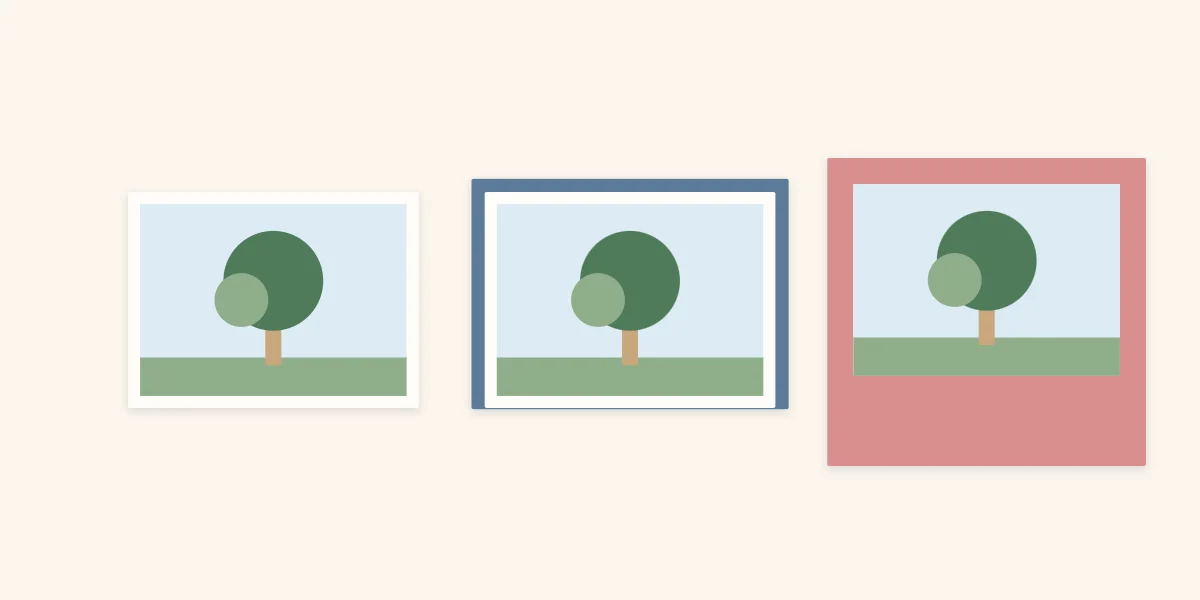
A mat is cut slightly larger than the photo so an even border shows on all sides. Its color should come from the photo or the page palette and contrast with the background, otherwise it disappears.
| Mat | Border showing | Use it for |
|---|---|---|
| Thin single mat | About 1/8 inch (3 mm) | Supporting photos and photos in a grid |
| Standard single mat | About 1/4 inch (6 mm) | Most photos |
| Double mat | A narrow inner border and a wider outer one in a second color | The focal photo |
| Wide mat, photo set high | Narrow at the top and sides, deep at the bottom | A single photo with a caption below |
To size a mat, add twice the border to each dimension of the photo. A 4 x 6 in photo with a 1/4-inch (6 mm) border needs a mat of 4 1/2 x 6 1/2 in (11.5 x 16.5 cm). For a double mat, repeat the calculation from the first mat outward. White or cream makes a dependable inner mat because it separates the photo from any stronger color behind it.
Cardstock holds a crisp edge better than thin paper, which can ripple under adhesive; the guide to cardstock and paper compares the options.
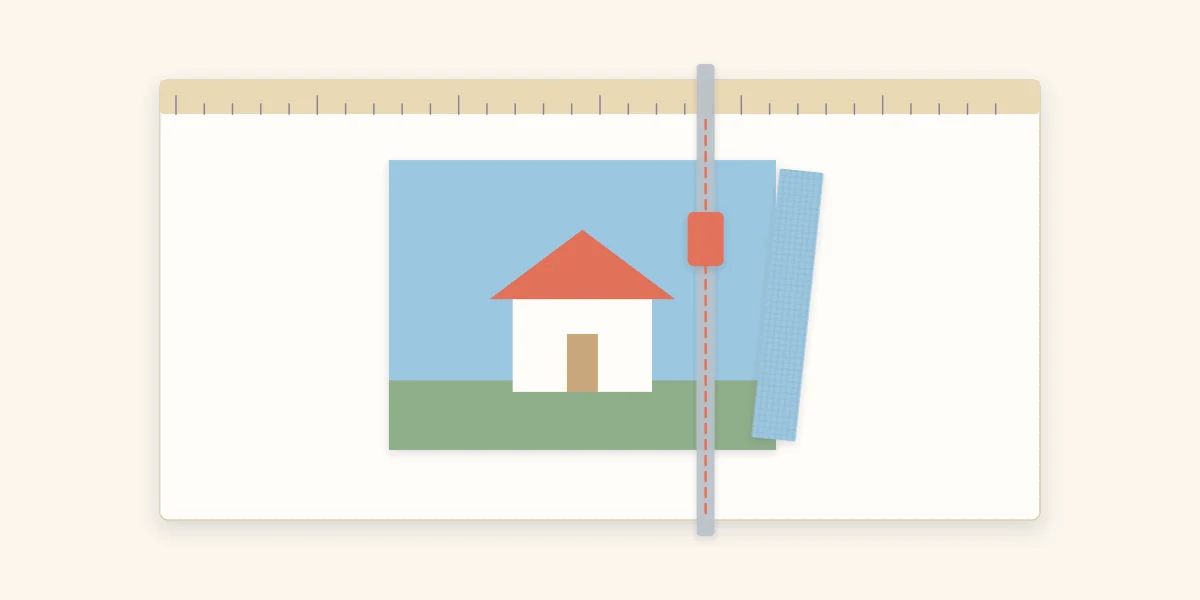
Cut straight with a trimmer
A paper trimmer gives straighter, squarer cuts than scissors, and square corners are what make mats look even. Trimmer blades and craft knives are sharp: keep fingers behind the blade and out of the cutting channel, and supervise children.
- Place the photo face up under the arm of the trimmer with one edge pushed firmly against the top guide rail. That rail is what keeps the cut square.
- Slide the photo until the cutting channel sits over your pencil dot or the measurement you want on the ruler.
- Press the arm down flat so the photo cannot shift, and hold it there with your free hand well away from the blade.
- Draw the blade along the channel in one smooth pass. Stopping halfway leaves a nick.
- Remove the offcut strip, turn the photo and repeat for the next edge, always resting a freshly cut edge against the guide rail.
- Cut the mat the same way, measuring from the trimmer ruler rather than drawing lines on the cardstock.
Take off less than you think you need. A second thin cut is easy; adding paper back is not.
Mount the photo on its mat
Apply adhesive to the back of the photo close to all four edges and across the center, then lower it onto the mat while looking at the borders on two adjacent sides. Once those two match, the other two will as well. A tape runner or photo corners suit most prints; the guide to scrapbook adhesives explains which type to use where and what labels to look for on the package.
Tip
If the borders come out uneven, do not peel the photo off. Trim the mat again with the photo already attached, measuring the border from the photo edge on each side.
Frequently asked questions
Should you crop original photos for a scrapbook?
It is safer to cut a copy or reprint and keep the original print or digital file untouched. Cropping cannot be undone, and one-of-a-kind prints cannot be replaced. Copies also let you try a second crop if the first is too tight.
How wide should a photo mat be?
A border of about 1/4 inch (6 mm) on every side suits most photos, and about 1/8 inch (3 mm) works for small supporting photos. To get the mat size, add twice the border to both the height and the width of the trimmed photo.
Do you need a paper trimmer to crop photos?
Scissors can do the job, but a paper trimmer makes it much easier to get straight edges and square corners, which is what makes mat borders look even. Keep fingers away from the blade and supervise children when one is in use.