Layering Paper in Scrapbooking: How to Build Depth Without Bulk
A layered stack under a photo adds depth only when each paper shows. Learn the order of layers, how to offset them and how to keep the page thin.

Tutorial at a glance
Materials
- background cardstock
- neutral or kraft cardstock for the base layer
- patterned paper
- white cardstock for the mat
- paper trimmer
- tape runner
- one printed photo
Layering paper in scrapbooking means stacking several pieces of paper under a photo so that an edge of each one stays visible. Done well, it frames the photo, brings in color and pattern, and gives a flat page a sense of depth. Done carelessly, it makes a thick, heavy lump that warps the page and strains the page protector.
Depth on a page is mostly an illusion created by contrast, overlap and shadow. You do not need many layers or much thickness to get it. Three to five thin pieces in the right order, each showing a clear band, look deeper than eight pieces piled on top of each other.
Why layers read as depth
When one shape overlaps another, the eye assumes the top one is closer. Each visible edge is a small step forward, so a stack of offset papers under a photo makes the photo feel like the nearest thing on the page. That is why layering is usually concentrated under the focal photo: it tells the viewer where to look first.
Contrast does the rest. A white mat between a photo and a patterned sheet separates them so the picture does not blend into the pattern. If two neighboring layers are close in color, the edge between them vanishes and the layer is wasted.
The order of layers, from base to photo
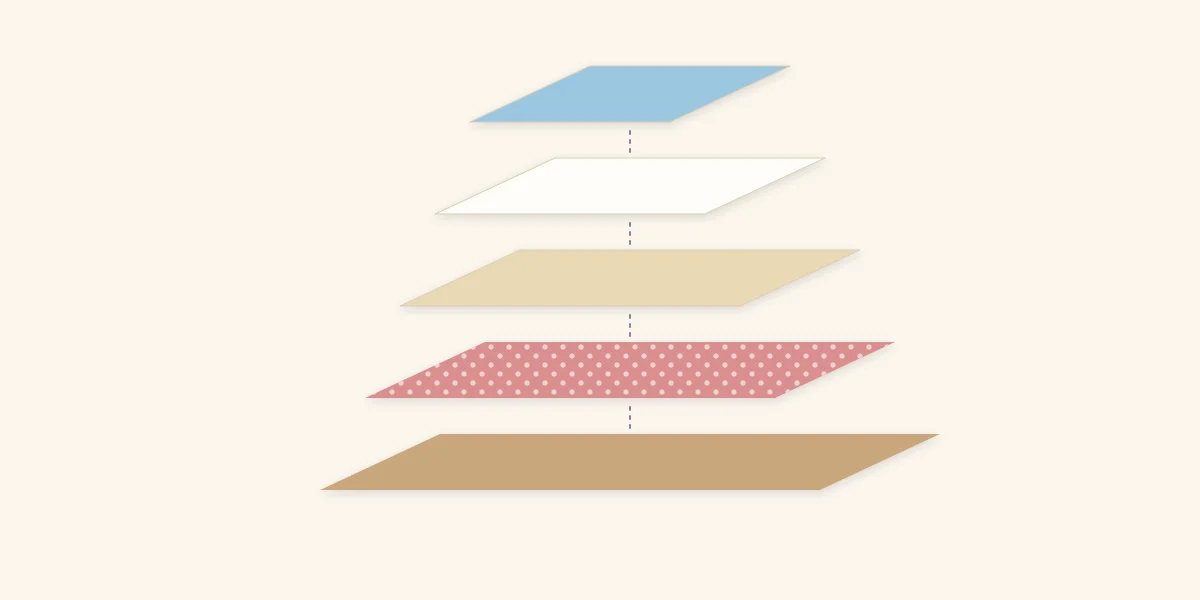
A dependable five-layer stack runs from the largest piece at the bottom to the photo on top.
| Layer | What it is | What it does |
|---|---|---|
| 1 (bottom) | Wide base in kraft or another neutral | Sets the outer shape and calms the background |
| 2 | Patterned paper | Brings in color and pattern |
| 3 | Torn-edge or textured piece | Adds a soft, irregular line |
| 4 | White or plain mat | Separates the photo from everything below |
| 5 (top) | Photo | The focal point |
The logic is busy below, quiet above. Pattern and texture sit in the lower layers, where only a band of each shows, and the plainest paper goes directly behind the photo. Reversing that order puts a busy pattern right against the picture, and the two compete.
Each layer should be smaller than the one beneath it. If you are unsure how much smaller, the mat is the guide: a mat usually shows about 1/8 to 1/4 in (3 to 6 mm) around a photo, and the lower layers can show progressively more. The article on cropping and matting photos covers mat widths in detail.
Build the stack step by step
- Choose the photo and cut its mat first. Everything else is sized from this pair.
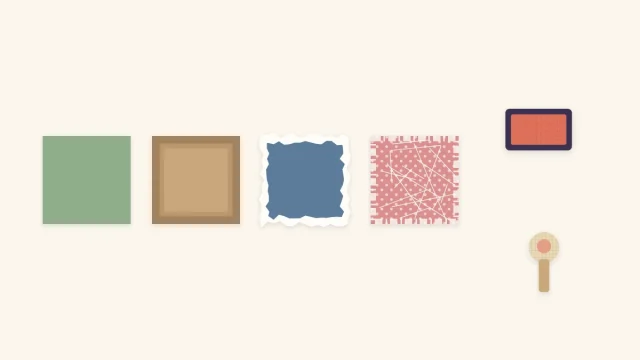
- Pull two or three papers that repeat colors from the photo: one neutral, one patterned, one with texture or a torn edge.
- Cut or tear each piece larger than the one that will sit on it. Rough sizes are fine at this stage.
- Arrange the whole stack on the page without adhesive. Shift and rotate pieces until every layer shows a clear band on at least two sides.
- Trim any layer that barely shows or that sticks out so far it competes with the photo.
- Glue from the bottom up, one piece at a time, checking alignment against the page edges as you go.
Tip
Before gluing, take a quick snapshot of the dry arrangement or trace light pencil ticks at the corners of the base layer. The stack always shifts when you lift it apart to apply adhesive.
Offset the layers so each one shows
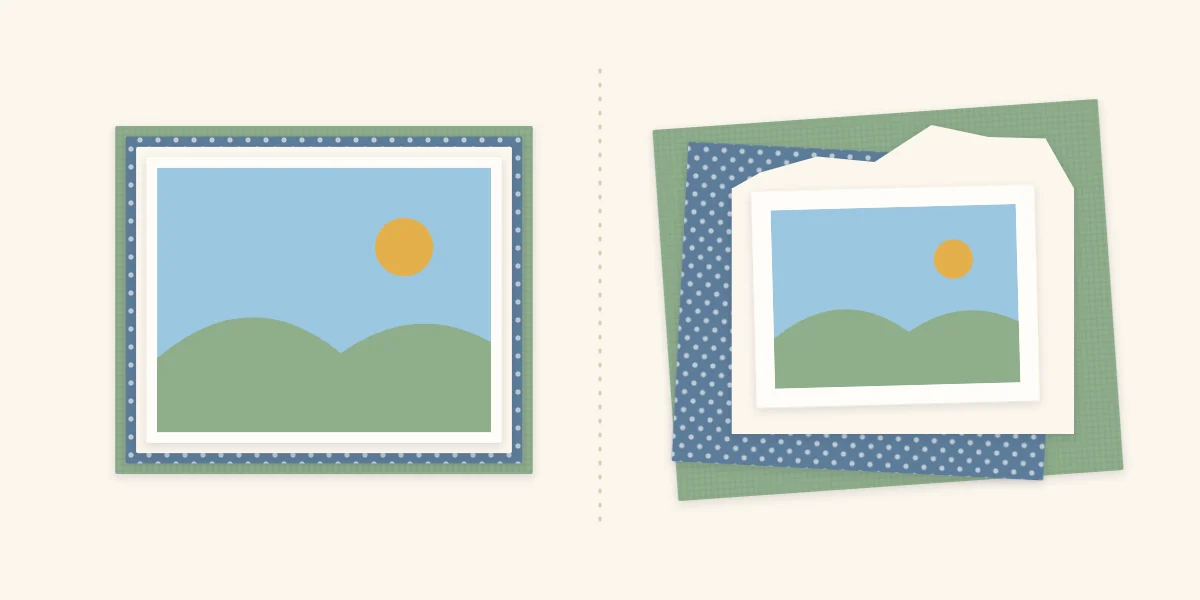
The most common layering mistake is centering every piece exactly on the one below with nearly identical sizes. From above, all you see is a set of hairline edges around the photo. The paper is there, the thickness is there, but the color is not.
Offsetting fixes this. Slide each layer a little in a different direction, so one shows a wide band on the left, the next along the bottom, the next at the top right. You can also rotate a layer by a few degrees. Now each paper contributes a visible block of color, and the uneven outline looks relaxed instead of mechanical.
Two limits keep an offset stack tidy. First, keep the photo and its mat square to the page edges, and let only the lower layers tilt; a straight photo on a loose stack looks intentional, while a crooked photo just looks crooked. Second, keep tilts small. A few degrees suggests casual layering; a large angle creates sharp corners that point away from the photo.
Torn edges belong in an offset stack because a ragged line contrasts with the straight cuts around it. Tearing technique, including how the white core shows, is covered in paper distressing and inking.
Keep the bulk down
Thickness builds quickly. Five full sheets of cardstock under one photo make a stiff, heavy area that can bow the page. A few habits keep the look of depth without the weight:
- Use lighter paper for the middle layers. Patterned paper is usually thinner than cardstock, so save cardstock for the base and the mat. The cardstock and paper guide explains the differences.
- Cut windows. If only a band of a layer shows, cut away the hidden center and keep it for another project. The stack looks the same from above.
- Use strips instead of sheets. A strip peeking out from one side gives the same visible band as a full layer.
- Choose flat adhesive. A tape runner adds almost no height. Reserve foam squares for one layer at most, usually the photo. See which adhesive to use where.
Watch out
Wet glue spread over a large thin sheet can make it ripple as it dries. On middle layers, use a tape runner or apply glue stick sparingly near the edges.
When to stop
A stack is finished when every layer can be seen, the photo is still the clearest thing on the page, and the title and journaling have room. If removing a layer changes nothing you can see, leave it out.
Frequently asked questions
How many layers should go under a scrapbook photo?
Three to five is plenty for most pages, counting the mat. What matters is that each layer is visible and contrasts with its neighbors. A layer that cannot be seen from above only adds thickness.
How do you layer paper without making the page too thick?
Use thinner patterned paper for the middle layers, cut away hidden centers, and swap full layers for strips that peek out on one side. Stick the layers with a flat adhesive such as a tape runner, and raise no more than one layer on foam.
Should layers be straight or tilted?
Keep the photo and its mat square to the page edges and let the lower layers shift or tilt slightly. Small offsets make each color visible and look relaxed. Large angles pull attention away from the photo.